Dota2PornFx / GitHub
Dota 2 Mod Manager v2.3.0: download, install, and use it safely
A practical guide to the open-source Windows manager that syncs the Dota2PornFx catalog, installs VPK and terrain packages, warns about conflicts, and keeps a reversible mod library. The verified v2.3.0 release adds a portable build and checks for real Dota 2 files before installing.
Quick answer and verified v2.3.0
Dota 2 Mod Manager v2.3.0 is a community-built Windows 10/11 application, not a Valve product. The GitHub release published on August 14, 2026 includes a verified setup build of 100,328,238 bytes and a portable build of 100,112,062 bytes. Use the stable release assets below, then back up the game files before installing any local mod.
| Build | Verified release detail |
|---|---|
| Setup | v2.3.0 · 100,328,238 bytes (about 95.7 MB) |
| Portable | v2.3.0 · 100,112,062 bytes (about 95.5 MB) |
| Published | August 14, 2026 · Windows 10/11 |
| Download target | Stable GitHub release assets |
What the mod manager actually does
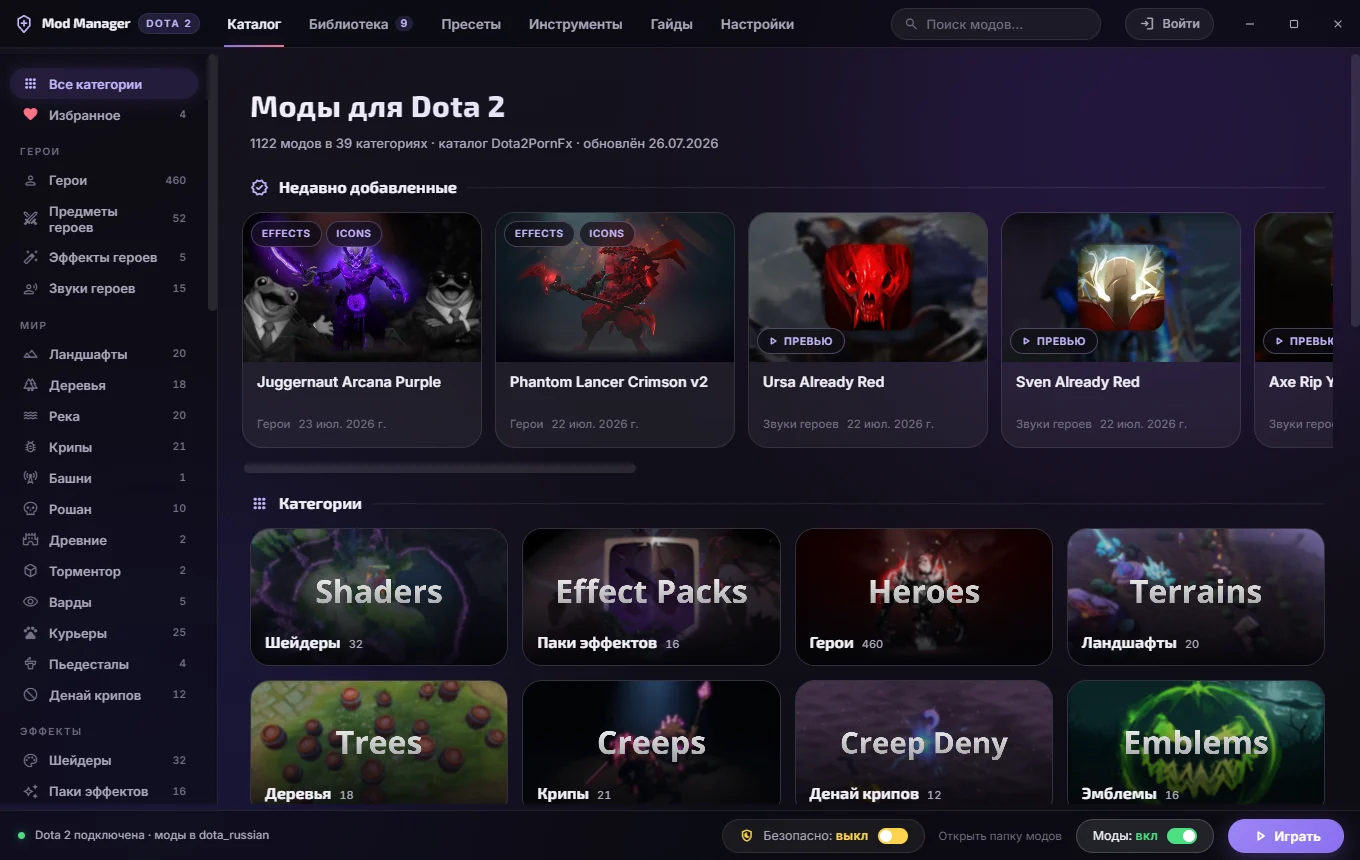
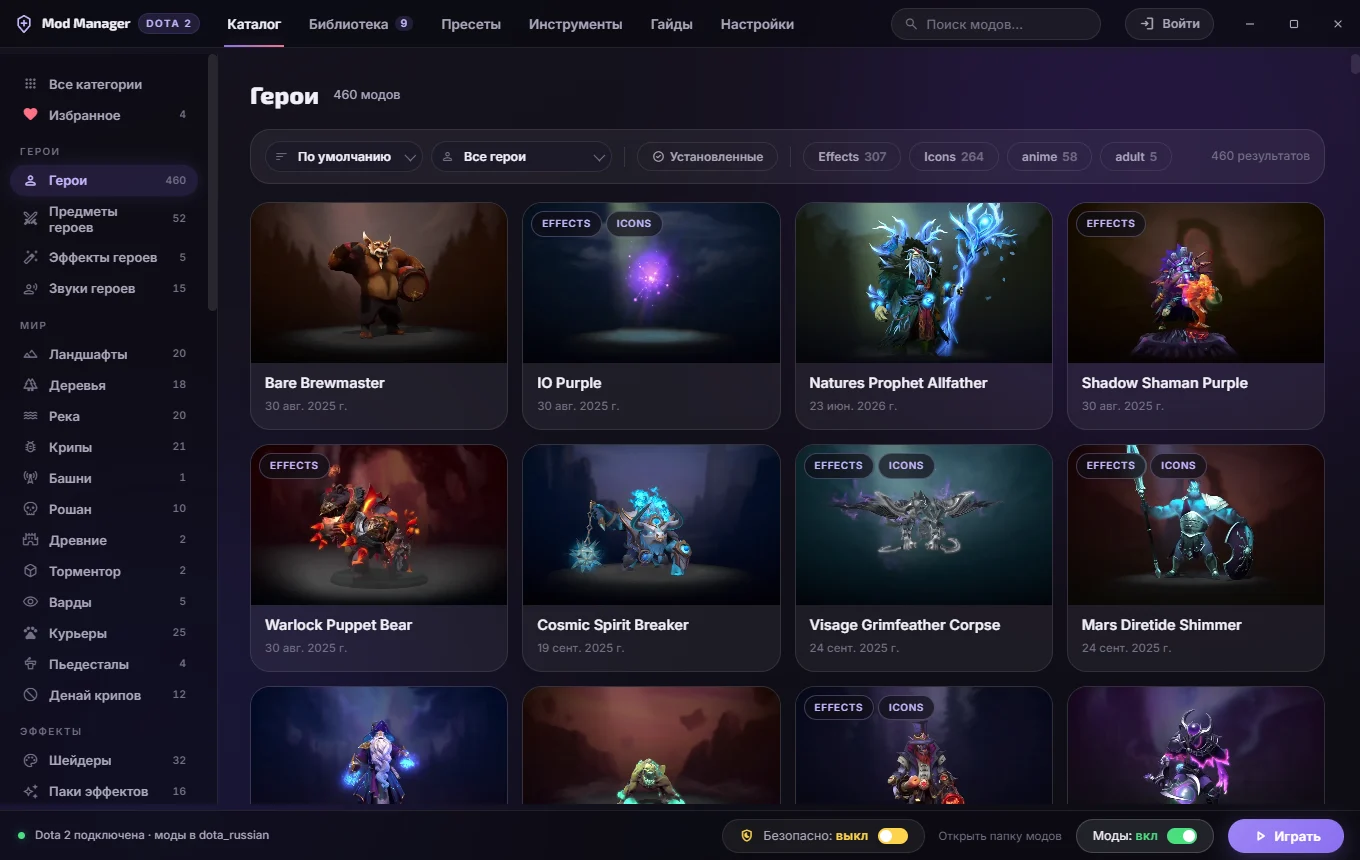
The manager reads the upstream Dota2PornFx catalog and turns a large manual download index into a searchable desktop workflow. It can choose available pak slots, unpack terrain map folders, preview media, import local VPK files, and keep installed mods in one library.
Dota2PornFx
The manager reads the upstream Dota2PornFx catalog and turns a large manual download index into a searchable desktop workflow. It can choose available pak slots, unpack terrain map folders, preview media, import local VPK files, and keep installed mods in one library.
Library
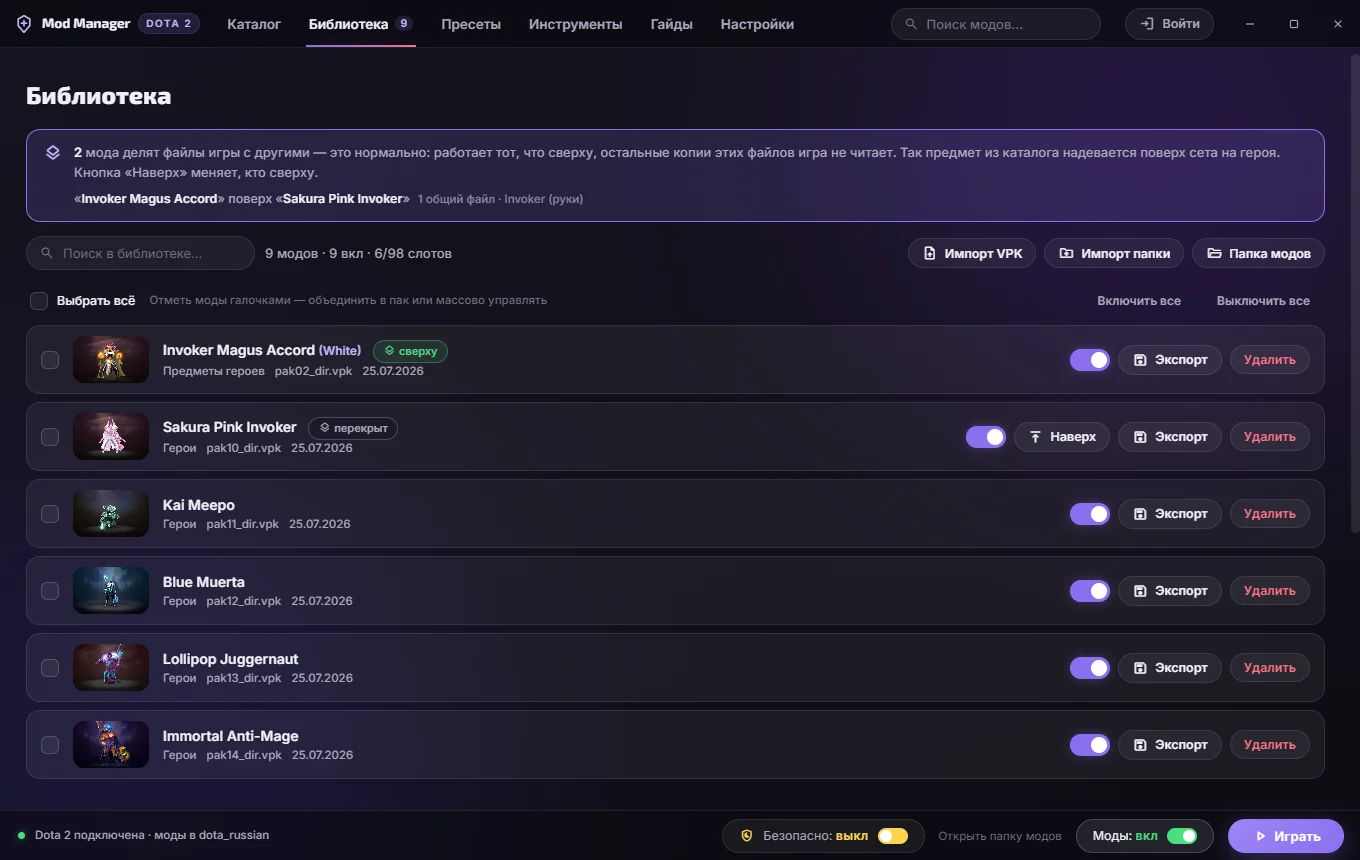
Use catalog filters to open a mod, check its preview and category, then install it from the detail view. The Library screen is the control center: disable a mod to test a conflict, remove it cleanly, import your own VPK, or save a preset before trying a different combination.
VPK
A conflict warning means two packages may replace the same game assets; it does not guarantee that either package is safe or compatible. Keep Steam file verification available, avoid stacking many packages at once, and recheck the library after major Dota 2 patches because paths and package priority can change.
How to install Dota 2 Mod Manager
Download the signed release asset from GitHub, close Dota 2, run the installer, and confirm the detected game path before adding anything. Start with one small visual or audio mod so you can verify the manager, game path, and rollback process without mixing several changes.
- Download verified v1.7.0 setup
- Download the signed release asset from GitHub, close Dota 2, run the installer, and confirm the detected game path before adding anything. Start with one small visual or audio mod so you can verify the manager, game path, and rollback process without mixing several changes.
- Use catalog filters to open a mod, check its preview and category, then install it from the detail view. The Library screen is the control center: disable a mod to test a conflict, remove it cleanly, import your own VPK, or save a preset before trying a different combination.
- Open official release page
Install, disable, and remove mods
Use catalog filters to open a mod, check its preview and category, then install it from the detail view. The Library screen is the control center: disable a mod to test a conflict, remove it cleanly, import your own VPK, or save a preset before trying a different combination.
Conflict warnings, backups, and patch safety
A conflict warning means two packages may replace the same game assets; it does not guarantee that either package is safe or compatible. Keep Steam file verification available, avoid stacking many packages at once, and recheck the library after major Dota 2 patches because paths and package priority can change.
- A conflict warning means two packages may replace the same game assets; it does not guarantee that either package is safe or compatible. Keep Steam file verification available, avoid stacking many packages at once, and recheck the library after major Dota 2 patches because paths and package priority can change.
- The tool does not turn local replacements into official Steam cosmetics, and this site does not claim every community mod is account-safe or patch-proof. Review the source repository, release notes, file type, category, and author links before installation. When the direct asset cannot be reached, use the official release page rather than a third-party mirror.
- Open official release page
What the manager does not guarantee
The tool does not turn local replacements into official Steam cosmetics, and this site does not claim every community mod is account-safe or patch-proof. Review the source repository, release notes, file type, category, and author links before installation. When the direct asset cannot be reached, use the official release page rather than a third-party mirror.
Dota 2 Mod Manager FAQ
Continue with Dota 2 mod guides
Verified sources
- GitHub / Dota 2 Mod Manager — The manager reads the upstream Dota2PornFx catalog and turns a large manual download index into a searchable desktop workflow. It can choose available pak slots, unpack terrain map folders, preview media, import local VPK files, and keep installed mods in one library.
- GitHub / v2.3.0 release — Release checked on August 16, 2026. The setup and portable assets returned HTTP 206 range responses whose total sizes matched the GitHub release metadata.
- Dota2PornFxWeb / mods.json — The tool does not turn local replacements into official Steam cosmetics, and this site does not claim every community mod is account-safe or patch-proof. Review the source repository, release notes, file type, category, and author links before installation. When the direct asset cannot be reached, use the official release page rather than a third-party mirror.